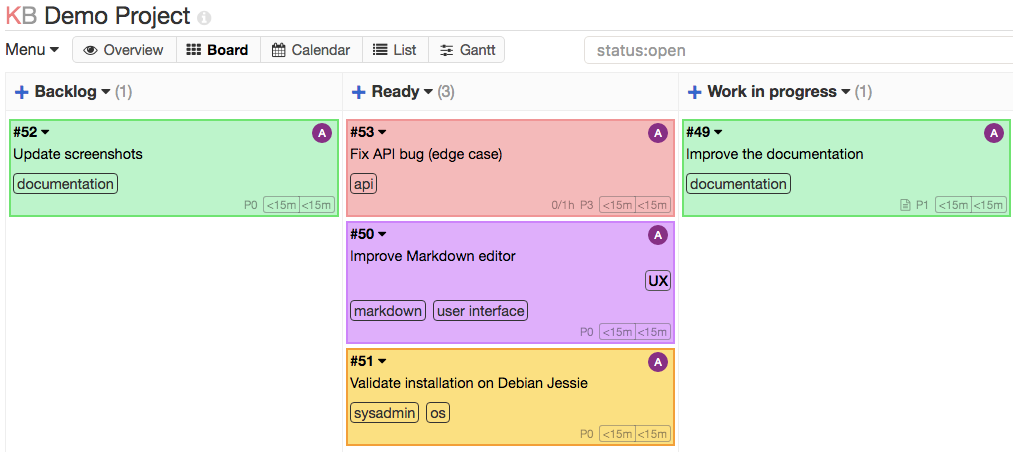
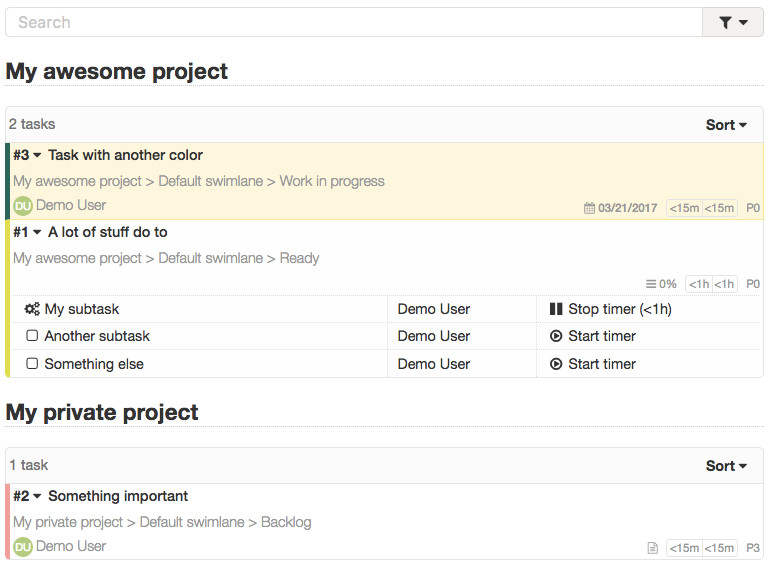
Kanboard turns any project into a board of columns, such as To do, Doing and Done, with a card for each task. Drag cards across as work moves on, add checklists, due dates and colours, and let simple rules do chores for you, like closing a task when it reaches Done. It suits a household, a club or a small team, is light enough for a Raspberry Pi, and runs on your own computer or server.
Drag-and-drop board with columns, rows, colours and work limits
Automatic actions that do the boring moves for you
Subtasks, due dates, recurring tasks, time tracking and calendar feeds
Light enough for a Raspberry Pi, with plugins and an API
Great for: Households, clubs, volunteers and small teams who want a simple shared board to see who is doing what.
Plain PHP with no build step for pages: templates are simple PHP files in app/Template/, and changes show on refresh. Custom CSS, automatic actions, webhooks and a JSON-RPC API cover a lot without code, and plugins can override any template, so most changes survive updates. CSS and JavaScript sources are bundled with ./cli css and ./cli js. Your AI always tries the gentlest step first, so your version stays easy to update.
1
Settings 4 options
No code. Change it in the app or its config.
Language (39 included), time zone, date format, application URL and a custom stylesheet box for your own colours and fonts.
Light, dark or follow-the-device theme for each person.
Name your columns, set work-in-progress limits, add rows (swimlanes) per person or area, colour-code categories.
Rules such as "when a card reaches Done, close it" or "assign cards in Shopping to Sam".
2
Extend 4 options
Themes, plugins, webhooks and the API. Still no fork.
Emails about changes and overdue tasks, due dates in your phone calendar via iCal.
Send task events to another service, for example a chat bot or home automation.
Create, move and read tasks from scripts, shortcuts or other apps.
Add features, hooks, routes, automatic actions or override any template without touching core files.
3
Code 2 options
Your AI edits the source for anything else.
Change what cards, task pages and the dashboard show.
New data or behaviour. Every schema change needs a migration for all three databases.
Can I trust it?
MIT. Very permissive. You can use, change, share and even sell it, for any purpose, as long as you keep the copyright and licence notice. There is no obligation to share your changes.
Your data: stores personal data, on your own device or server. SQLite file and attachments in data/ (/var/www/app/data in Docker, the kanboard-data volume), or a MySQL/PostgreSQL database. Plugins live in plugins/.
Other services: Email (SMTP or sendmail) (optional, free with most providers); LDAP or reverse-proxy login (optional, free (self-hosted)); Plugin directory (kanboard.org/plugins.json) (optional, free)
Pinned version e197e71. Every handover uses exactly this code, which we've reviewed.
Change the default admin / admin password immediately, and use HTTPS if it is reachable from the internet.
Keep PLUGIN_INSTALLER off unless you need it. Plugins run with full access to your data, so only install ones you trust.
Custom CSS and Markdown are shown to every user. Only give admin rights to people you trust.
Upstream treats security reports as ordinary bugs while in maintenance mode, so keep the image updated and don't expose it more than needed.